


Electronic W-2 delivery can save employers from printing, mailing, and manually redistributing tax forms. But making W-2s available online involves more than uploading PDFs and giving employees a login.
The IRS has specific rules covering employee consent, required disclosures, electronic notices, and document availability.
Employers also need to handle paper-copy requests, corrected statements, and employees who have left the organization.
For tax year 2026, there’s another consideration: the W-2 itself has changed, including new reporting fields for tips and qualified overtime compensation.
Getting the forms right and delivering them correctly are separate responsibilities. Both deserve attention before year-end.
This guide covers nine checks employers should complete before distributing 2026 Forms W-2 electronically.
First, Which W-2 Deadline Applies?
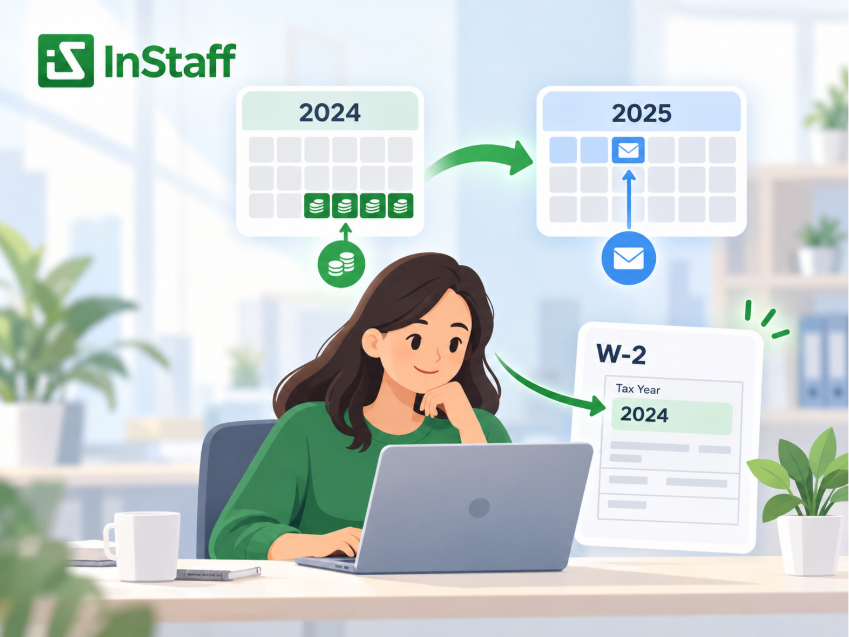
The year printed on Form W-2 refers to the year the wages were paid, not necessarily the year employees receive the statement.
For clarity:
| W-2 Tax Year | Employee Delivery Deadline | SSA Filing Deadline |
| 2025 | February 2, 2026 | February 2, 2026 |
| 2026 | February 1, 2027 | February 1, 2027 |
The standard January 31 deadline moves to the next business day when it falls on a weekend or legal holiday.
The IRS’s 2026 Form W-2 instructions confirm February 1, 2027, as the deadline for both furnishing 2026 W-2s to employees and filing them with the Social Security Administration (SSA).
Employers should still check for any applicable relief, extensions, or state-specific requirements.
1. Confirm That Employees Have Consented to Electronic Delivery
An employee having access to an online payroll portal does not automatically mean the employer can stop providing paper W-2s.
Under Treasury Regulation §31.6051-1(j), employees must affirmatively consent to receiving their W-2 electronically.
Consent may be provided electronically in a manner demonstrating the employee can access the electronic format. The regulation also permits paper consent when electronically confirmed.
Employers should review how consent is collected and recorded.
Questions worth checking include:
- Was consent actively provided rather than assumed?
- Can the employer identify who consented?
- Does the consent apply to the relevant W-2?
- Has the employee subsequently withdrawn consent?
A general acknowledgement of company policies should not be treated as automatically satisfying electronic W-2 consent requirements.
If an employee has not given valid consent, the employer needs an appropriate paper-delivery process.
2. Check the Required Consent Disclosures
Collecting consent is only part of the requirement.
Before or when an employee consents, the employer must provide clear disclosures explaining how electronic delivery works.
Under IRS Publication 15-A, those disclosures must address matters including:
- The employee’s right to receive a paper W-2 without consenting
- The scope and duration of electronic consent
- How to request a paper copy after consenting
- How to withdraw consent and when withdrawal takes effect
- Circumstances in which electronic delivery may stop
- How employees update their contact information
- Hardware and software needed to access, print, and retain the form
- When website access to the form will end
Employees must also be told that they may need to print their W-2 for a tax return.
These disclosures should be reviewed before tax season, particularly if the employer has changed its payroll portal or delivery procedures.
A convenient system doesn’t remove the obligation to explain those procedures.
3. Verify That Employees Can Actually Access Their W-2s
A W-2 marked as published is not necessarily accessible to the intended employee.
Before distribution, employers should test the experience using an ordinary employee account rather than relying exclusively on the administrator’s dashboard.
Can the employee sign in, identify the correct tax year, open the statement, and download or print a usable copy?
The electronic form must contain the required W-2 information and meet applicable substitute-statement specifications.
Access duration matters too.
For W-2s furnished through a website, federal regulations generally require availability through October 15 of the year following the tax year. For 2026 W-2s, that means October 15, 2027.
Employers should confirm that account settings, document retention, and access arrangements support this requirement.
The availability of rules for corrected statements may require longer access.
A portal that removes documents too early can create problems even when the original delivery is timely.
4. Review How Employees Are Notified
Uploading a W-2 is not the same as notifying the employee that it is available.
When employers furnish W-2s through a website, the IRS requires a notice explaining that the statement has been posted and providing instructions for accessing and printing it.
The regulation specifies that the notice must contain:
IMPORTANT TAX RETURN DOCUMENT AVAILABLE
If the notice is sent by email, that wording must appear in the email subject line.
This is more specific than a general notification saying a new document has been uploaded.
The employer also needs a procedure for undeliverable notices.
If an electronic notice is returned and a valid replacement address cannot be obtained, the regulation generally requires the notice to be provided by mail or in person within 30 days.
Before distributing W-2s, review the notification of wording, employee contact details, and the procedure for handling failed delivery notices.
5. Check Document Security and Employee Matching
W-2s contain sensitive wage, withholding, and identifying information.
Electronic delivery should therefore be reviewed for both account security and correct document assignments.
An employee should not be able to view another employee’s tax form because of an incorrect account association or publishing error.
Employers should verify how their delivery system matches each W-2 to the intended recipient.
This is especially important when administrators upload a batch containing multiple employees’ documents.
The review should cover employee identifiers, account permissions, and what happens when the system cannot confidently match a document.
Authentication and secure document access are also important for operational controls.
A useful test is to sign in through sample employee accounts and confirm that each person can view only the records assigned to them.
Automating document distribution does not eliminate the need to verify the results before publication.
6. Confirm That the 2026 W-2 Format Is Correct
This is one of the most important checks for the upcoming filing season.
The IRS’s 2026 instructions introduce changes that may affect how payroll software generates W-2s.
Among the updates:
| 2026 W-2 Change | What Employers Should Review |
| Box 12, Code TP | Cash tips reported to the employer |
| Box 12, Code TT | Qualified overtime compensation |
| Box 14a | The existing other reporting area |
| Box 14b | Treasury Tipped Occupation Code(s), where applicable |
Code TT generally relates to the qualifying overtime premium, rather than automatically including the employee’s entire overtime payment.
The 2026 instructions also increase the wage-reporting threshold to $2,000 in certain situations where no federal income, Social Security, or Medicare tax was withheld. Other W-2 reporting conditions still apply.
Employers should confirm that their payroll provider has incorporated the current requirements and that their year-end data supports any applicable reporting fields.
An employee portal distributes the document the payroll system produces. It cannot independently determine whether the underlying wages, tips, deductions, or tax amounts were calculated correctly.
Review the official 2026 W-2 instructions when preparing the final statements.
7. Prepare for Paper Requests and Former Employees
Not every employee will use electronic delivery.
Some may decline consent, withdraw it, or request a paper copy under the employer’s disclosed procedures.
Employers need to distinguish these situations rather than assuming that access to a digital portal satisfies every delivery requirement.
Former employees require particular attention.
An employee who leaves during 2026 may still need a W-2 in early 2027, after their company email or employee account has been deactivated.
The organization should determine how those individuals will receive their statements and whether its existing account settings support the intended arrangement.
The IRS also provides special timing rules when former employees request their W-2 before the normal furnishing deadline.
Employee account deactivation and payroll record retention are separate decisions.
A useful document-access system should support the organization’s process without if all former employees retain access indefinitely.
Our article on employee portal scope explains why employee-facing access and ownership of payroll records should remain distinct.
8. Establish a Process for Corrected W-2s
Errors sometimes become apparent after forms have been issued.
An employee might report incorrect identifying information, or payroll may identify a mistake in reported earnings or withholding.
When a correction is required, the employer generally uses Form W-2c and files the appropriate correction with the SSA.
The IRS instructs employers to provide corrected statements as soon as possible.
For original W-2s furnished electronically, the regulations generally require the corrected statement to be furnished electronically as well.
If the corrected form is posted to a website, the employer must notify the employee of the posting within 30 days, subject to the applicable notice rules.
Corrections also affect document availability.
Employees need to recognize the corrected statement and understand which form should be used.
A sound process should identify who investigates the error, who prepares the correction, and who confirms that the correct document reaches the employee.
A portal can distribute the updated record. Payroll remains responsible for correcting the underlying information.
9. Keep Employee Delivery Separate from SSA Electronic Filing
This distinction deserves its own check because the term electronic W-2 can refer to two different processes.
- Electronic employee delivery concerns how employees receive their W-2 statements.
- Electronic filing concerns how employers submit wage statements to the SSA.
For 2026, employers generally must file electronically when they are required to file at least 10 information returns in aggregate, subject to applicable exceptions and waiver procedures.
An employer could therefore be required to file W-2s electronically with the SSA while still furnishing paper copies to employees who have not consented to electronic delivery.
Likewise, publishing W-2s in an employee portal does not automatically complete the SSA filing requirement.
Before closing the reporting cycle, verify that employee statements were furnished appropriately, SSA filing was completed, and the employer retained the necessary records of those activities.
Using a third-party payroll or document distribution service does not remove the employer’s responsibility for accurate and timely reporting.
Where InStaff Fits into Electronic W-2 Distribution
InStaff’s Paystubs & Tax Forms module helps businesses distribute payroll documents through an employee self-service portal while continuing to use their existing payroll system.
Administrators can upload compatible PDF pay documents, and employees can access published paystubs and tax forms through their accounts.
The platform also supports historical document access.
This provides an alternative to individually emailing documents or repeatedly retrieving previously issued statements.
Our guide to paystub self-service versus email distribution explains how those methods differ.
However, electronic document distribution should not be confused with automatic satisfaction of every W-2 requirement.
Employers still need to verify consent, disclosures, notification of wording, correct document assignment, paper-delivery exceptions, and SSA filing responsibilities.
When reviewing InStaff or another portal, ask which of those processes the platform supports and which remain in the employer’s responsibility.
For additional evaluation questions, see our guide to employee portal features.
Frequently Asked Questions
Can employers require everyone to receive W-2s electronically?
Employers generally need valid affirmative consent before replacing paper W-2 delivery with electronic furnishing under the federal rules. Employees who do not consent must receive paper statements.
What is the deadline for 2026 electronic W-2 delivery?
The federal deadline for furnishing tax year 2026 W-2s to employees is February 1, 2027.
Does uploading a W-2 to an employee portal satisfy IRS requirements?
Not by itself. Employers must satisfy applicable consent, disclosure, notification, format, access, and timing requirements.
How long must electronic W-2s remain accessible?
W-2s furnished through a website generally must remain accessible through October 15 of the following year. Corrected statements can be subject to longer availability requirements.
Prepare the Delivery Process Before the Forms Are Ready
Electronic W-2 delivery works best when the employer has already resolved the questions surrounding consent, access, notices, and exceptions.
Waiting until the forms are ready to publish leaves little room to identify employees without valid consent, correct account problems, or investigate missing records.
The practical approach is to review the nine checks before year-end, test the distribution method, and confirm who owns each responsibility.
If your organization wants to make tax forms easier for employees to access without replacing its existing payroll system, contact the InStaff team to discuss its Paystubs & Tax Forms module and how it could fit your document delivery process.


